The 6 Best Pomodoro Timer Apps in 2026
Stop procrastinating and start doing. We tested the best apps to help you master the Pomodoro Technique and get into deep flow.
The Pomodoro Technique is deceptively simple: set a timer for 25 minutes, work until it rings, and take a 5-minute break. Repeat. It stops procrastination in its tracks and turns overwhelming tasks into manageable chunks.
While you could use a kitchen timer (the original "pomodoro"), a dedicated app automates the flow, tracks your focus time, and helps you build a consistent work rhythm.
What makes a great Pomodoro app?
- Automation: It should automatically switch between work and break modes.
- Simplicity: It shouldn't be a burden to set. Less friction = more work.
- Customizability: You should be able to change timer lengths (e.g., 50/10 split).
- Focus Tools: The best apps (like our top pick) block distractions and track deep work.
Resolve
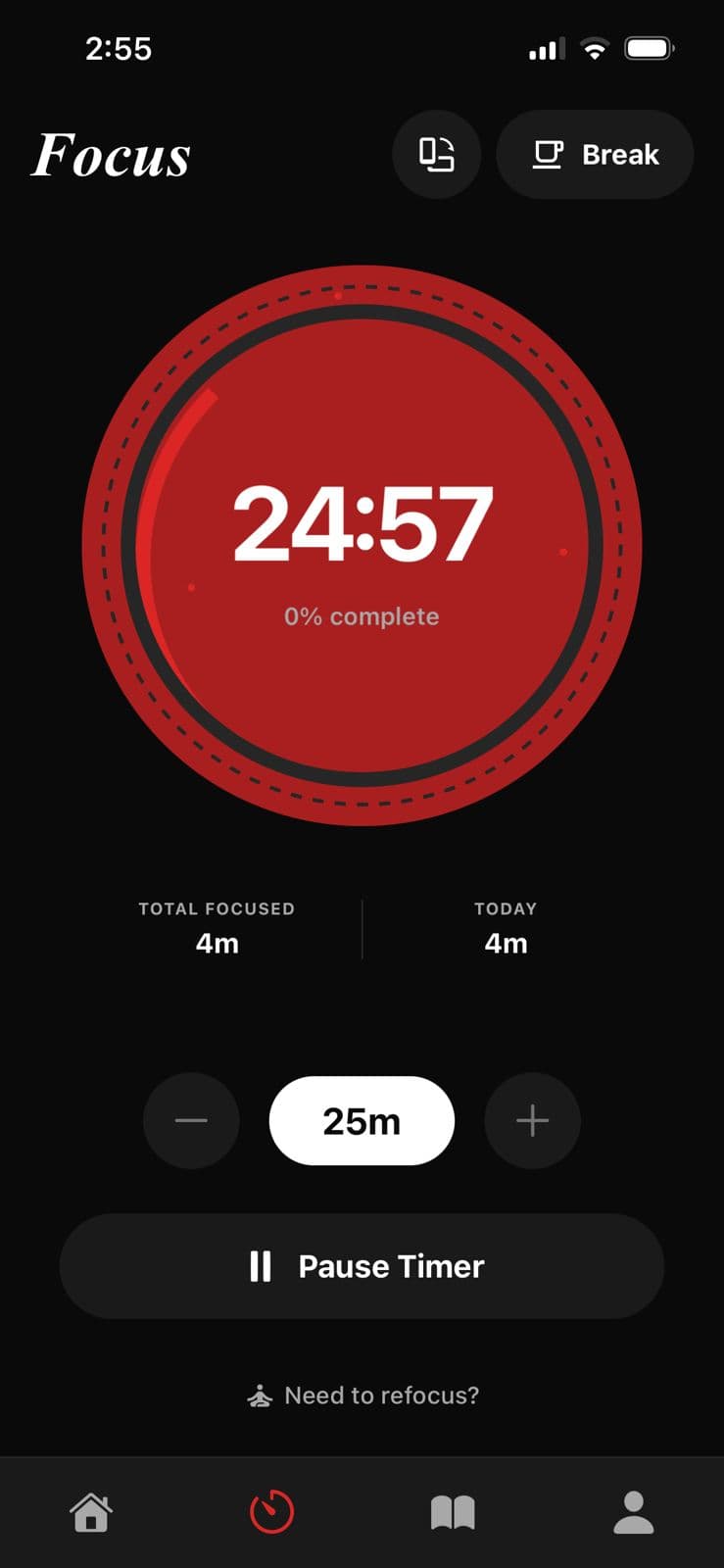
Best Overall & Deep Focus**Resolve** reimagines the Pomodoro timer for 2026. It’s not just about counting down minutes; it’s about **maximizing flow**.
Resolve combines a beautiful, customizable Focus Timer with a **66-Day Habit Journey**. It helps you identify when and why you get distracted via integrated journaling, making it a powerful tool for anyone serious about improving their attention span, not just timing it.
Why it wins
- Integrated Focus Timer with Deep Work tools
- Science-backed habit formation
- Distraction-free minimalist design
- Daily Journaling for reflection
Forest
Mobile & GamificationIf your phone is your biggest distraction, Forest is the solution. It gamifies the Pomodoro technique: when you focus, you plant a virtual tree. If you leave the app to check Instagram, your tree dies. It’s a simple, charming, and effective way to force yourself to stay off your phone.
Pros
- • Gamifies focus by planting trees
- • Prevents phone usage during sessions
- • Cute, engaging visuals
Cons
- • Can be distracting itself
- • Costs money on iOS
Session
Mac UsersSession is the power user's choice for Mac. It syncs across all Apple devices, blocks distracting websites while you work, and offers incredibly detailed analytics. If you live in the Apple ecosystem and love data (and don't mind paying a subscription), it's a fantastic tool.
Pros
- • Deep Apple ecosystem integration
- • Blocks apps and websites
- • Detailed analytics
Cons
- • Expensive subscription
- • Overwhelming for simple needs
Flow
Minimalist MacFlow is for those who want the Session aesthetic without the complexity or price tag. It's a beautiful, minimalist menu bar app for Mac that does one thing perfectly: times your work sessions. It allows for basic blocking and statistics without the clutter.
Pros
- • Clean, simple interface
- • Lightweight menu bar app
- • Affordable pro version
Cons
- • Less feature-rich than Session
- • Mac only
Otto
Windows / WebWindows users often get left behind in productivity design, but Otto changes that. As a Chrome extension, it works everywhere. It combines a playful interface with a powerful website blocker, making it the best choice for anyone working primarily in a browser.
Pros
- • Works in Chrome browser
- • Website blocker included
- • Fun character animations
Cons
- • Extension-based (less robust)
- • Chrome only
Pomodor
Instant Web UseSometimes you just need a timer right now. Pomodor is a web-based timer that requires no signup and no download. It's minimalist, customizable, and perfect for when you're on a public computer or just want to start working immediately.
Pros
- • No download required
- • Simple clean UI
- • Customizable timers
Cons
- • No advanced features
- • No cross-device sync
How to Choose the Right Pomodoro Timer
The technique is simple, but the tool matters. Here is what to consider before downloading:
Platform
Do you work on your phone or computer? Choose an app that lives where your work is.
Strictness
Do you need a gentle nudge (timer) or a strict enforcement (blocking apps)?
Flexibility
Can you adjust the 25/5 split? Some tasks require longer flow states.
Frequently Asked Questions
What is the Pomodoro Technique?
It's a time management method developed by Francesco Cirillo. You work for 25 minutes, then take a 5-minute break. After 4 cycles, you take a longer break.
Do I need a paid app for Pomodoro?
No. Simple web timers like Pomodor work fine. However, paid apps like Resolve reduce friction and offer analytics that can improve your long-term habits.
Is 25 minutes the best work length?
Not always. 25 minutes is a good starting point, but many effective people prefer 50-minute or 90-minute 'deep work' sessions. Apps like Resolve allow you to customize this.
Does the Pomodoro Technique really work?
Yes. It combats 'Parkinson's Law' (work expands to fill the time available) by creating artificial urgency and regular reset points.